How We Automated Invoice Collection with AI and n8n
From email attachments to a structured, searchable database without anyone opening a single PDF
The problem: Invoices buried in inboxes
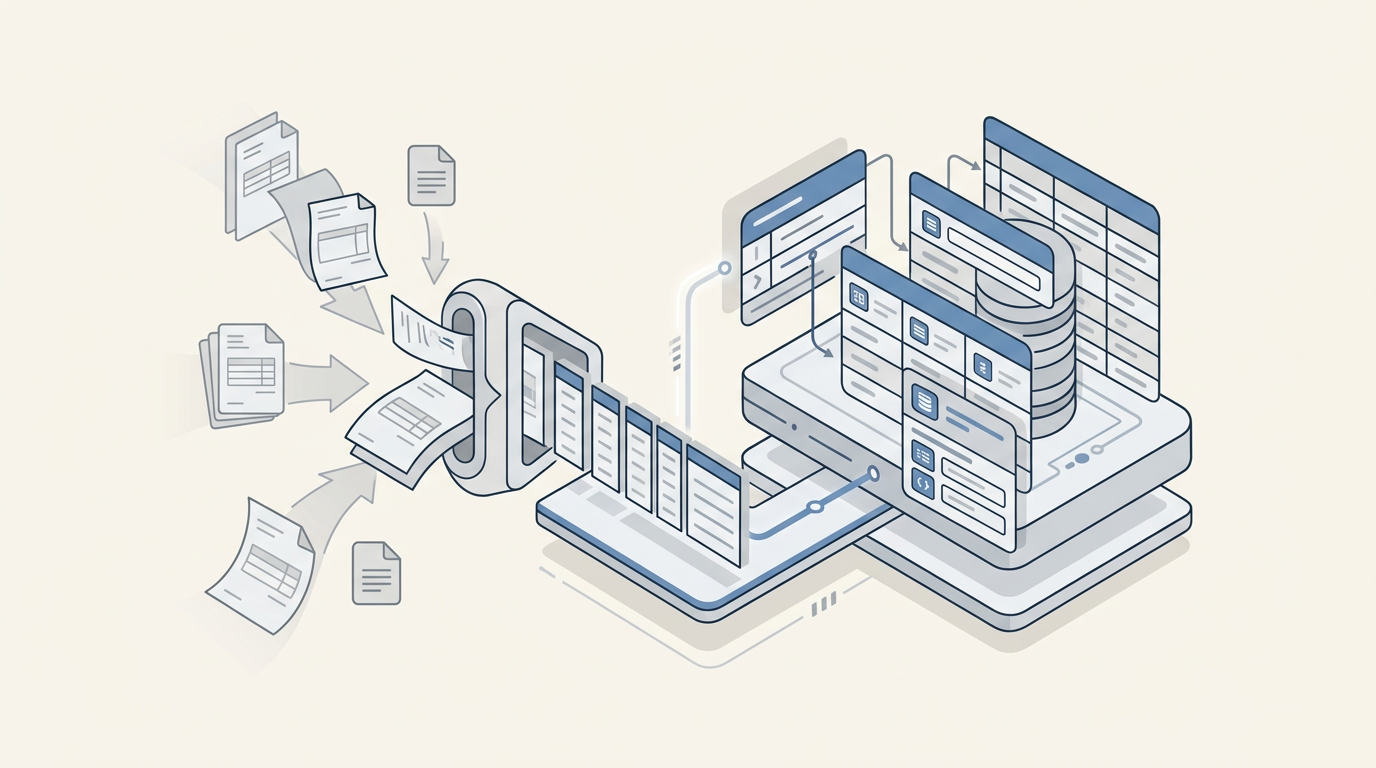
Every organization that works with suppliers deals with the same tedious cycle. Invoices arrive by email, sometimes as PDFs, sometimes as scanned images, sometimes buried in forwarded threads. Someone on the team has to open each one, read the attachment, extract the key details, and manually enter them into a spreadsheet or database. Then do it again, and again, dozens of times a week.
The process is slow, error-prone, and surprisingly expensive when you add up the hours. Most teams will recognize the pattern:
- Manual email triage - scanning through inboxes to identify which emails actually contain invoices and which are noise.
- Repetitive data entry - opening each PDF, reading the supplier name, invoice number, and date, then typing those values into a separate system.
- Attachment management - downloading files, renaming them, uploading them to the right folder or record. Files get lost, mislabeled, or forgotten.
- No single source of truth - invoice data ends up scattered across email threads, local folders, and half-maintained spreadsheets. Finding a specific invoice from three months ago means digging through all of them.
We set out to eliminate that entire workflow.
What we built
We call it the Automated Invoice Collection System. When an invoice email arrives, the system validates it, extracts structured data from the attachments using AI, and stores everything data and original files in a centralized, searchable database.
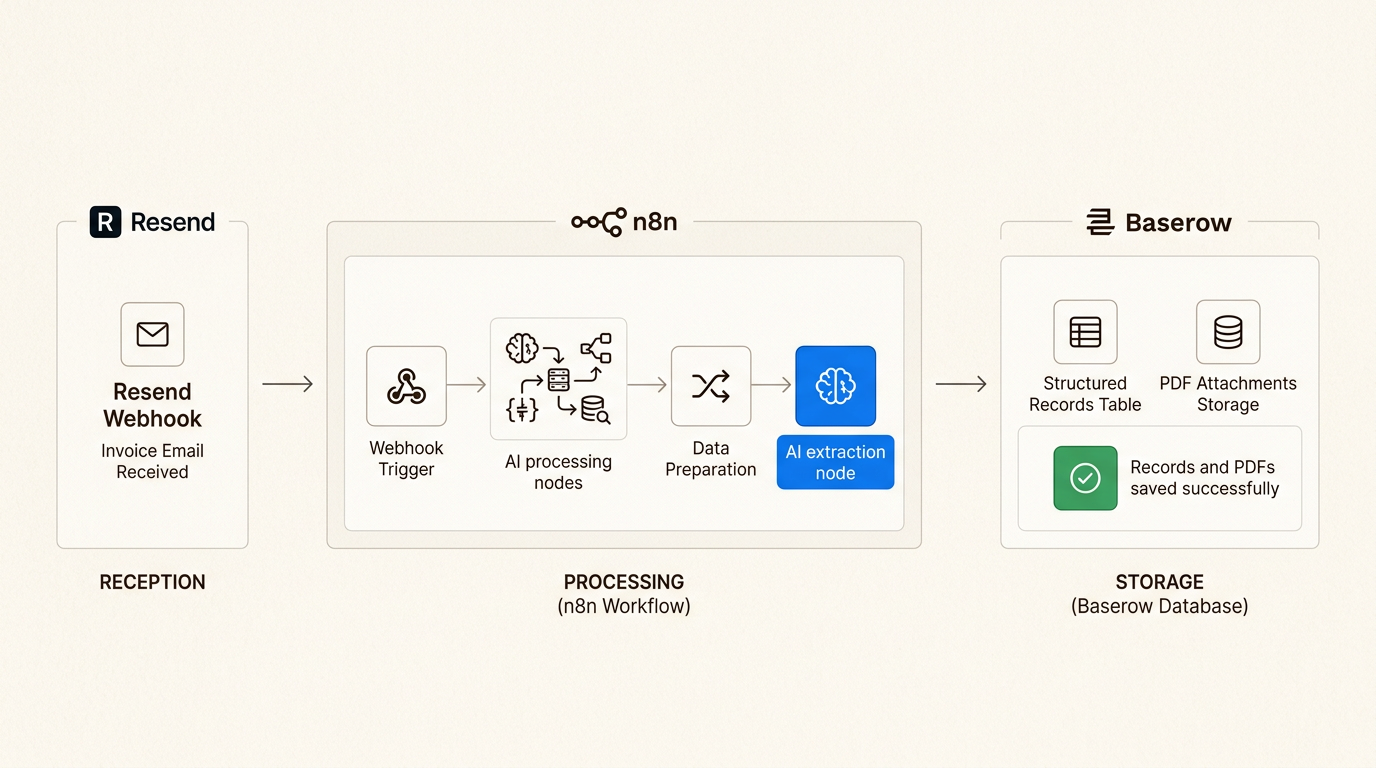 Image 1 - From unstructured emails to organized records
No one needs to open an email, read a PDF, or type a single field. The system handles the full chain: reception, validation, extraction, and storage.
It breaks down into three core capabilities:
1. Receives and validates invoice emails automatically
The system monitors a dedicated invoice inbox. When an email arrives, the pipeline activates and immediately checks whether the message is relevant, confirming the recipient address matches and filtering out unrelated correspondence before any processing begins.
This first gate ensures that only genuine invoice emails enter the pipeline, preventing noise from cluttering the database.
2. Extracts invoice data using AI
For each validated email, the system takes two AI-driven steps.
First, it classifies the email content. An AI model reads the subject and body to determine whether the message is actually an invoice targeting our organization, not a marketing email, not a reminder, not an invoice addressed to someone else. Only confirmed invoices proceed.
Second, it extracts structured data from the attachment. The system downloads the PDF, reads its content, and uses an AI model to pull out the fields that matter: supplier name, invoice number, and invoice date. The extraction is returned in a structured format, normalized and ready for storage, with no manual parsing required.
| Extracted Field | What It Captures |
| Supplier Name | The company that issued the invoice |
| Invoice Number | The unique identifier from the supplier's system |
| Invoice Date | When the invoice was issued, normalized to a standard date format |
3. Stores everything in a structured, searchable database
The extracted data and original attachments are written to a Baserow database in a single operation. Each invoice becomes a row with the AI-extracted fields populated automatically, and every original PDF is uploaded and attached to its corresponding record.
The result is a clean, filterable table where any team member can search by supplier, date range, or invoice number and pull up the original document in one click.
 Image 2 - The structured invoices database
Under the hood
A 25-node n8n workflow handles the full journey from inbox to database. Each step is purpose-built and runs without manual triggers.
Email reception - A webhook listener activates the pipeline the moment a new email arrives at the designated address. The system fetches the full email content, including metadata, body text, and attachment references.
Recipient validation - Before any processing begins, the pipeline confirms the email was sent to the correct invoice collection address. Emails that do not match are silently discarded, keeping the workflow focused.
AI classification - The email subject and body are sent to an AI model with a single directive: determine whether this is an invoice targeting our organization. The model returns a boolean judgment. Only confirmed invoices continue downstream.
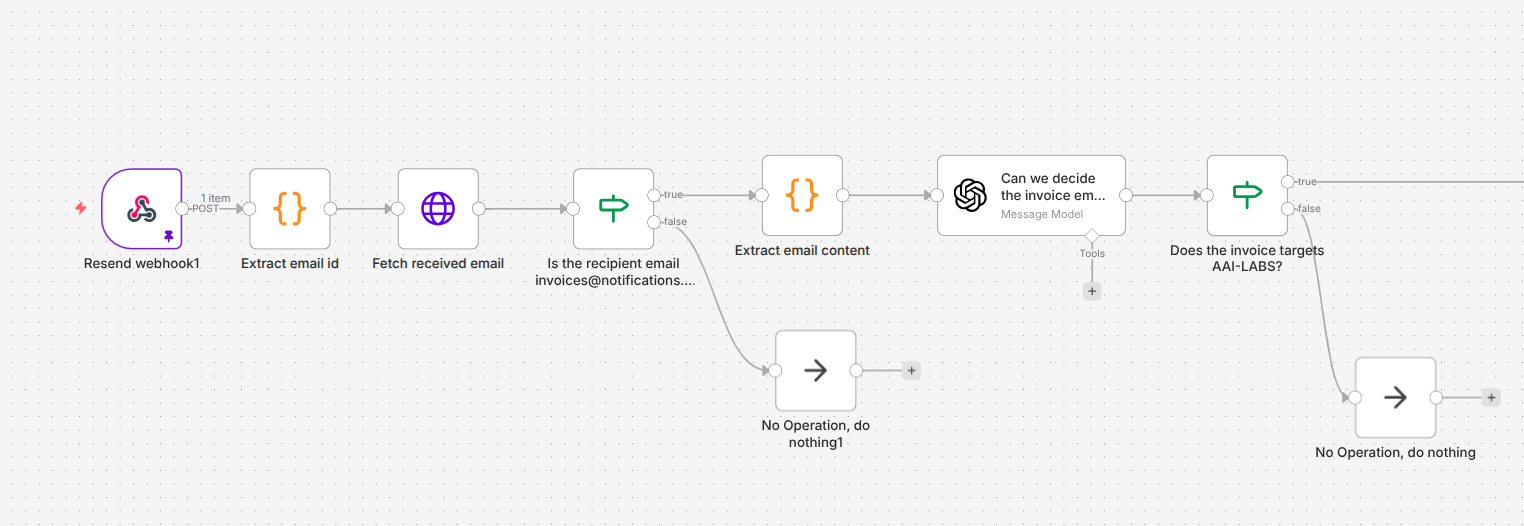 Image 3 - Email reception, validation, and AI classification
Attachment processing - The pipeline retrieves all attachments from the validated email, downloads them, and extracts the text content from each PDF. This step handles multiple attachments per email and normalizes file names to prevent duplicates.
AI data extraction - The extracted text is sent to an AI model with a structured extraction prompt. The model returns the supplier name, invoice number, and invoice date in a machine-readable format, ready to be written directly to the database.
Database storage - A new row is created in the Baserow table with the extracted fields. Then each attachment is uploaded to Baserow's file storage and linked to the corresponding row, creating a complete record that pairs structured data with the original source document.
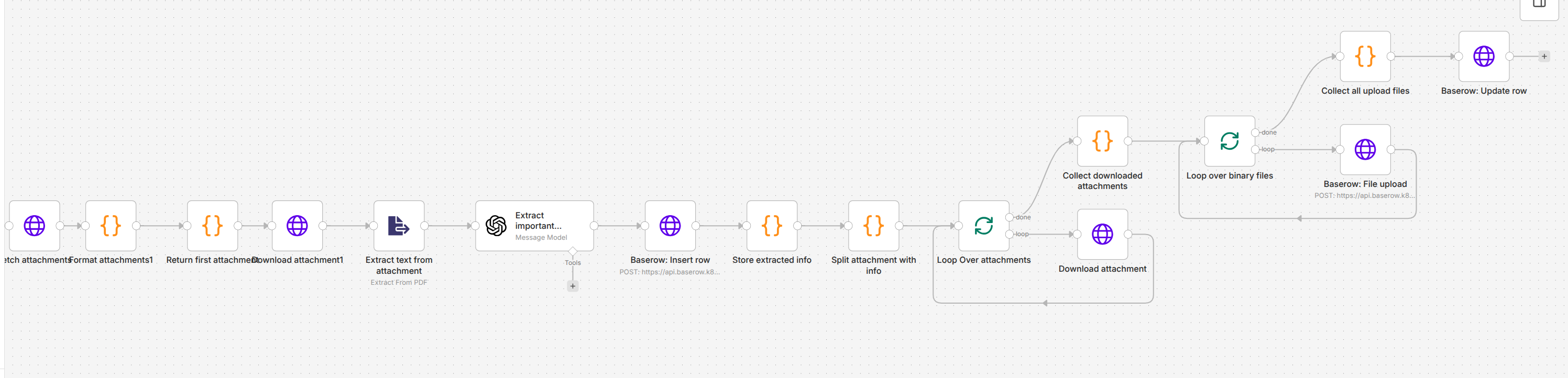 Image 4 - Data extraction, attachment processing, and database storage
The entire pipeline executes in seconds. From the moment an email arrives to the moment a fully populated database record appears, no human intervention is required.
The impact
The pipeline runs in production today, processing every incoming invoice without manual involvement.
Before: A team member manually checks the inbox, opens each email, downloads the PDF, reads the invoice details, types them into a spreadsheet, and uploads the file to the right folder. A single invoice takes several minutes. Errors creep in, including transposed digits, wrong dates, missing attachments. Finding a specific invoice later means searching through email threads and local folders.
After: Invoices arrive by email and appear in the database, extracted, structured, and filed without anyone touching them. The team opens a single interface to review, search, and export.
What changed:
- Processing time dropped to near zero - each invoice is handled in seconds, not minutes.
- Data entry errors were eliminated - AI extraction removes the manual transcription step entirely.
- Every invoice is findable - structured fields and attached originals make historical lookup instant.
- The audit trail is automatic - original PDFs are stored alongside extracted data, so every record traces back to its source document.
Where it goes from here
The current system handles the core workflow reliably. Potential extensions include:
- Line item extraction - expanding the AI extraction to capture individual line items, quantities, and amounts, not just header-level fields.
- Accounting system integration - syncing extracted invoice data directly to accounting software, eliminating another manual transfer step.
- Approval workflows - adding automated routing so invoices above a certain threshold trigger a manager notification before being marked as processed.
- Multi-language support - extending the extraction prompts to handle invoices in multiple languages, supporting international supplier relationships.
Key takeaway
Invoice processing is one of those tasks that feels too small to automate, until you add up the hours, the errors, and the lost documents over a year. The Automated Invoice Collection System proves that even routine administrative work benefits dramatically from a structured, AI-assisted pipeline.
The system does not replace the finance team. It gives them clean data from the start: every invoice captured, every field extracted, every original document attached so they can focus on the work that actually requires their judgment.